Completing
the Assessment Process:
To
complete the Assessment process the PC on which you are running must be visible
to the Internet. IF the PC is not
visible to the Internet, it must be connected before the assessment process
will complete.
Two message boxes will be displayed indicating
this condition.
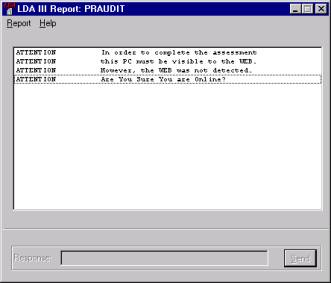
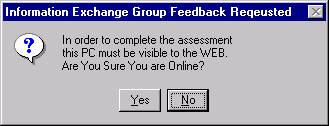
If you are able to connect
to the Internet, you can do so and then select YES and it will retry the
“online” detection test. Selecting “No”
will terminate the EAD/LDA runtime session.
Once you are connected to the Internet, you will need to open a new
session and follow the “Restarting the Assessment Process”
(Note to Windows 95 users: A DOS window titled CLEANUP.BAT might remain
open. Manually close this window.)
Risk Assessment
Documents:
IEG's
IEGBID.DOC document and an audit document, AF<modelname>.DOC,
will contain detailed information gathered during the IM assessment. Both documents should be sent to IEG if
you wish to obtain a service quote from IEG to renovated this LINC
specification. If you wish to find
out more information about the renovation process contact the Information Exchange Group.
ã
Copyrighted 1995-2008 Information Exchange Group, Inc.